

Optimization Booster on FatAds: How to Launch for the Highest-Converting Traffic
Published Jan 13, 2026 by FatAds team
Want to skip endless testing and instantly access top-performing traffic? Meet Optimization Booster – a smart automation feature inside FatAds that automatically selects and prioritizes the most converting traffic sources based on your campaign targeting.
Instead of manually building whitelists and optimizing placements daily, Optimization Booster does it for you.
Let’s break down how it works and how to enable it inside your ad account.
What is an Optimization Booster?
Optimization Booster is an automated traffic selection feature that matches your campaign settings with the most converting traffic segments inside the FatAds network.
Once activated, the system:
- Automatically selects high-performing traffic sources;
- Adds top-converting placements to your campaign;
- Filters out less performing segments;
- Updates traffic lists regularly;
- Focuses on maximizing conversion rate.
Optimization Booster is ideal for fast testing of new GEOs, affiliates who want quick launch, and advertisers without time for manual optimization
How to Enable Optimization Booster in FatAds
Below is a step-by-step setup guide inside the FatAds advertising cabinet.
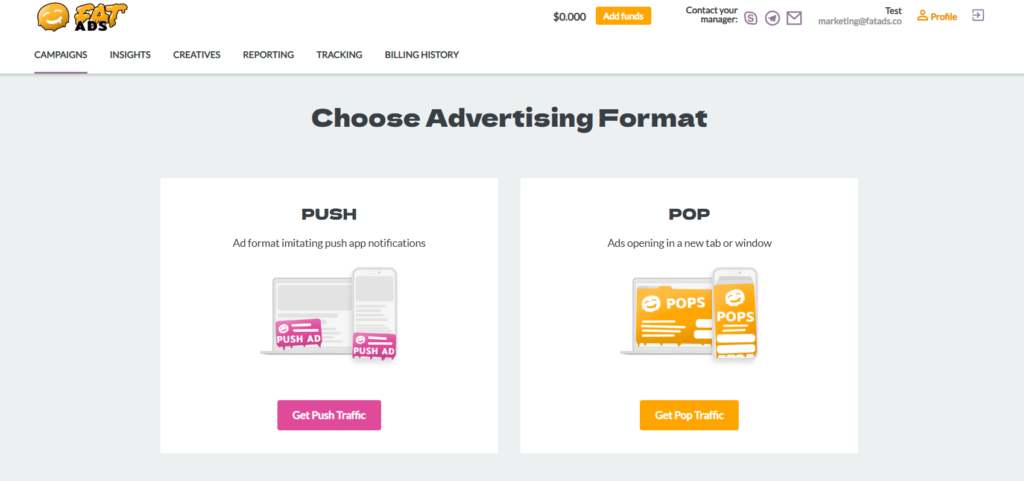
Step 1: Create a сampaign
Choose between Push or Pop advertising formats.
Step 2: Select “Optimization booster”
Go to “Optimization strategy” and simply select “Optimization booster”, then complete the basic campaign setup.
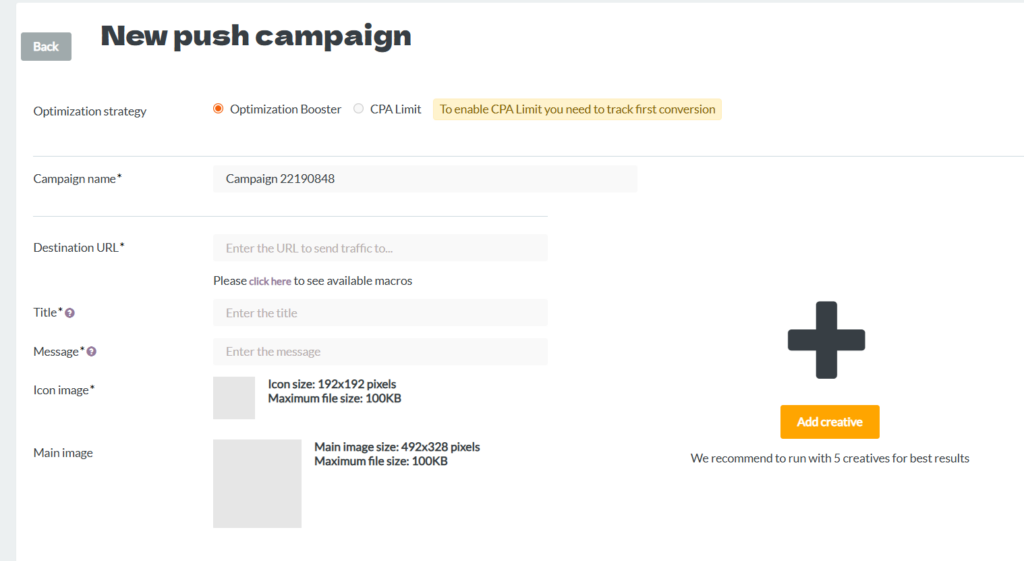
Once selected, the campaign will automatically receive high-performing traffic matched to your targeting settings.
Step 3: Launch the Campaign and click “Create a campaign”.
After the launch the system begins traffic allocation automatically, prioritizing high-performing sources. Try to start with a competitive bid and combine it with CPA Limit for better profitability. Don’t forget to monitor performance before scaling the budget.
Conclusion
Optimization Booster is built for advertisers who want faster results with less manual work. Instead of testing hundreds of sources yourself, the system automatically connects your campaign with the most converting traffic based on your targeting. With regularly updated high-performing traffic lists, you can launch quicker, scale sooner, and focus on strategy rather than constant optimization.
Learn more about FatAds features:
1. Optimization Booster: How to launch for the highest-converting traffic?
2. CPA Limit: How to Use Smart Protection Tool for overspending?
3. Bid Adjustments: How set bids for specific traffic parameters and optimize performance for a single campaign?